
TiviMate Installation Guide
The industry-standard IPTV player for Android TV, Firestick, and Google TV. Set up your streaming account in minutes.
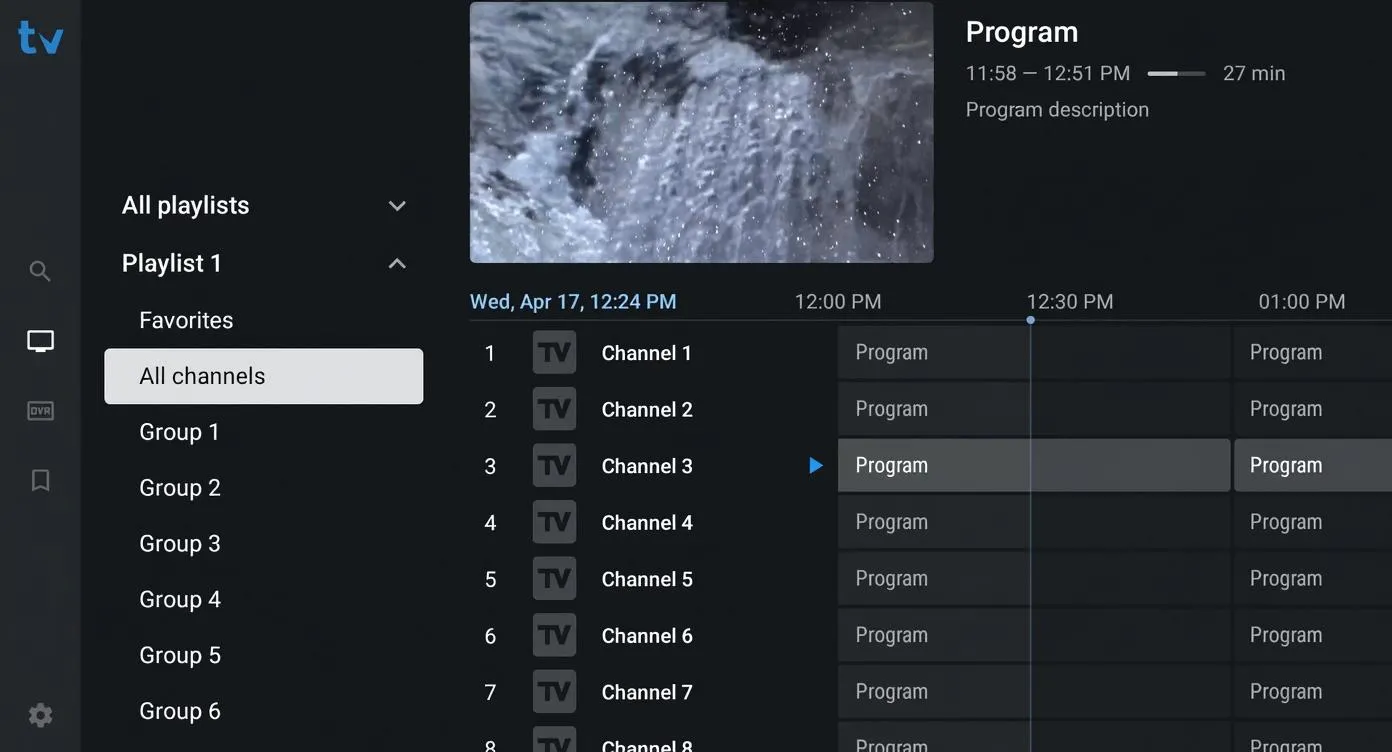
Table of Contents
Why TiviMate is the Premium Choice
Among the various IPTV player applications available on the market today, TiviMate stands out as the most polished and feature-rich option. Designed specifically for television screens, it offers a premium user interface resembling high-end satellite or cable guides, complete with detailed electronic program guide (EPG) grids, multi-view setups, and direct playlist management.
While TiviMate acts strictly as a media player and does not provide content, pairing it with a high-speed IPTV playlist gives you access to thousands of live feeds and VOD assets.
Step 1: Enable Developer Sideloading Options
Because TiviMate APK is distributed directly as a package, you must first enable your streaming hardware to authorize sideloaded applications. Follow these quick preparation steps on your Firestick or Android TV box:
- Navigate to the **Settings** menu on your device home screen.
- Select **My Fire TV** or **Device Preferences / System**.
- Click on **Developer Options**. *(If missing, go to "About", select your device model name, and click it exactly 7 times until you see a "You are now a developer" notification).*
- Toggle the **Install Unknown Apps** or **Apps from Unknown Sources** option to **ON**.
Step 2: Install TiviMate via Downloader Utility
The official, secure method to fetch the player package is using the Downloader utility app available in the device store:
272483
• Open Downloader application.
• Enter code **272483** into the URL text box.
• Click **Go** to automatically download the APK.
Once the package completes downloading, the device installer will trigger. Click **Install**, and once completed, select **Delete** to clear the temporary APK file from your streaming device's limited flash storage space.
Step 3: Connect Your IPTV Playlist & API
Once the application is installed, launch it. You will be greeted with the main welcome panel. To configure your premium playlist, follow these instructions:
- Click **Add Playlist** inside the main welcome view.
- Choose **Xtream Codes API** as the connection type (this is highly recommended over standard M3U paths as it structures categories and speeds up server sync).
- Enter your unique active credentials (obtained via your setup email):
Server URL: http://your-server-url.com:port
Username: [Your Username]
Password: [Your Password]
- Check the option to include **VOD / Movies** and click **Next** or **Apply** to import channels.
- Optionally add your EPG URL in the program guide settings if it is not populated automatically by your playlist profile.
"Connecting TiviMate using the Xtream Codes API instead of standard M3U links significantly speeds up EPG caching and structures on-demand movie listings cleanly. For high-speed streaming, ensure your player's internal video player engine is set to hardware decoding."— Technical Support Representative at Xtreme HD IPTV
Step 4: Buffering & Streaming Performance Tuning
If you experience packet dropouts or network delays, you can optimize TiviMate's video player engine parameters to ensure seamless 4K/HD streaming:
- **Adjust Buffer Size**: Navigate to **Settings** → **Playback** → **Buffer Size**. Adjust this parameter from "None" or "Normal" to **"Large"** or **"Very Large"** to pre-cache incoming segments.
- **Configure Video Engine**: Toggle the **Hardware Decoding** setting to **ON** to force your streaming box's graphics chip to process video signals, reducing CPU load.
- **Audio Output Passthrough**: If you experience sync delays between video and audio channels, enable the **Audio Passthrough** option inside the Playback settings panel.
Frequently Asked Questions
What is the TiviMate Downloader code?
The official TiviMate Downloader code is 272483. Enter this code inside the search field of the Downloader app on your streaming device to automatically fetch the TiviMate APK package.
Does TiviMate support playlist configurations like Xtream API?
Yes. TiviMate is fully compatible with both standard M3U playlists and Xtream Codes API server logins. Connecting via Xtream Codes API is highly recommended for faster data caching.
How do I resolve audio or buffering problems in TiviMate?
You can resolve minor drops by going into the player Settings, navigating to Playback, and adjusting the Buffer Size to "Large". For audio output issues, toggle on the Audio Passthrough option in the configuration panel.
Ready to Stream Premium TV?
Pair your TiviMate player with a high-performance subscription. Get 40,000+ live feeds and stable anti-freeze servers.
Shop PackagesPremium Plans
Fully compatible with TiviMate player configurations. Stable 4K/HD streaming networks.