Vu Player Pro Setup
Configure your streaming setup. Learn how to install and set up Vu Player Pro on Firestick, Smart TVs, Android, and iOS.
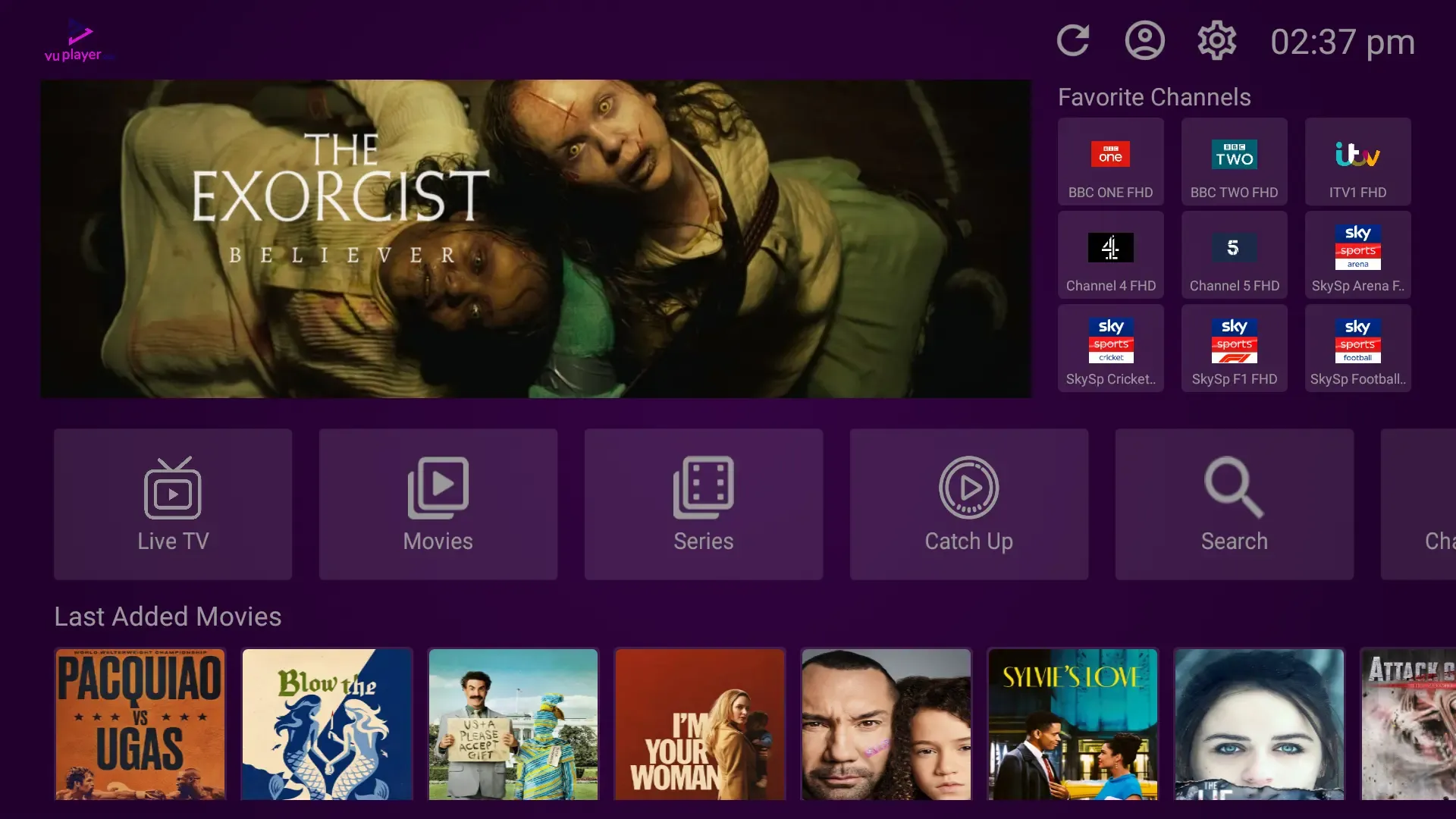
Table of Contents
What is Vu Player Pro?
Vu Player Pro is a powerful, premium IPTV media player renowned for its cinematic, streaming-style layout and excellent processing speed across various devices. Whether you are using tvOS on Apple TV, a Firestick on your TV, or running your stream on a Windows PC — Vu Player Pro provides a high-quality interface that makes organizing and watching channels extremely easy.
Paired with a premium IPTV subscription, Vu Player Pro gives you access to a massive list of live channels and video-on-demand content. Enjoy crystal-clear 4K quality, smooth EPG navigation, and multi-screen functions that elevate your home streaming. This setup guide covers all methods by device, the Firestick code 327187, Windows setup steps, and the Device ID activation method.
Installation Methods by Streaming Device
Vu Player Pro is compatible with all major streaming systems. Refer to the table below to find the correct setup method for your device:
| Device Type | Installation Interface | Sideload Required |
|---|---|---|
| Firestick / Fire TV | Downloader App (Code: 327187) | Yes (Developer Mode) |
| Android TV / Google TV | Google Play Store / APK (vuplayer.pro/vupro.apk) | Optional |
| Apple iPhone / iPad (iOS) | App Store (Search: "Vu Player Pro") | No |
| Apple TV (tvOS) | Apple TV App Store Search | No |
| Samsung Smart TV | Samsung App Store Search | No |
| LG Smart TV | LG Content Store Search | No |
| Roku / Roku TV | Roku Channel Store Search | No |
| Windows PC | Official Installer (vuplayer.pro/vuplayerpro.exe) | No |
Firestick Downloader Sideload Steps (Code: 327187)
Sideloading the app installer is the fastest way to get set up on TV systems that do not list the player natively:
Step 1: Configure Developer Permissions
Go to Settings → My Fire TV → Developer Options. Turn on "Apps from Unknown Sources" and ensure permissions are toggled on for your file management utilities. (Note: If Developer Options is hidden, navigate to Settings → My Fire TV → About, and click "Device Name" seven times to restore it).
Step 2: Launch the Downloader Application
Download the free Downloader utility from the official Amazon App Store. Once installed, launch the utility and accept storage permission prompts so the app can download install files.
Step 3: Enter Downloader Code 327187
Click on the URL entry box on the Downloader home dashboard and enter 327187. The system will process this code to fetch the latest application package (`https://vuplayer.pro/vupro.apk`) and automatically begin downloading the APK package.
Step 4: Install the APK File
As soon as the download finishes, a system window will open. Click "Install". After the installation is complete, click "Done" and select the option to delete the installer APK from your storage to save room.
Windows PC Installation Guide
Installing Vu Player Pro on Windows using the official installer is simple and requires no sideloading tools:
Step 1: Download the Installer
Navigate to `https://vuplayer.pro/vuplayerpro.exe` on your web browser and save the installer to your PC directory.
Step 2: Run the Executable
Double-click the downloaded `.exe` installer. If Windows Defender shows a prompt, click "More Info" and choose "Run Anyway". Follow the setup steps to complete the installation.
Step 3: Launch and Configure
Launch Vu Player Pro from your Desktop or Start Menu. The home layout will display your custom Device ID and Key, which are necessary for the activation step.
"With the premium cinematic artwork layout, Vu Player Pro offers a premium gallery browsing experience for local files. Managing device registrations is securely parsed via Device ID mappings."— Technical Solutions Lead at Xtreme HD IPTV
Activation Tutorial (Device ID & Key)
The application offers a limited 7-day evaluation period. After this trial, a permanent license key must be configured to keep your profile active:
1. Identify Your Device ID and Key
Launch the application on your device. The home layout displays a unique Device ID and Key. Copy these strings exactly as shown.
2. Submit to Support
Provide this Device ID and Key to our technical support team. Our configuration systems will automatically link your purchased premium playlist credentials directly to your profile.
3. Sync and Stream
Restart the application. The player will query its servers, parse your streaming channels list, and load directories. You are now ready to watch buffer-free live events.
Frequently Asked Questions
What is the Vu Player Pro Downloader code for Firestick?
The official Downloader code to access the installer package directly is 327187. Enter this in the Downloader app to automatically download the APK.
Does Vu Player Pro include channels or live TV?
No. Vu Player Pro is a media player application. It does not carry pre-loaded media lists or channels. You must configure the application with your own private M3U playlists or database credentials to enable streaming.
How do I activate Vu Player Pro after the free trial?
Launch Vu Player Pro and find the Device ID and Key generated on your home screen. Provide these details to our support team, and we will activate your license key to permanently unlock the player.
Is Vu Player Pro available on iOS and Apple TV?
Yes. Vu Player Pro is natively available on the Apple App Store for both iPhone, iPad (iOS), and Apple TV (tvOS). Simply search for the player and download it directly.
Upgrade Your Streaming Experience
Sideload Vu Player Pro with code 327187 today and pair it with a premium playlist for buffer-free 4K viewing.
Shop PackagesPremium Plans
Get instant activation in all local metro areas. High-speed streams supported by anti-freeze hybrid servers.