Bob Player Setup
Configure your streaming setup. Learn how to install and set up Bob Player on Firestick, Smart TVs, Android, and iOS.
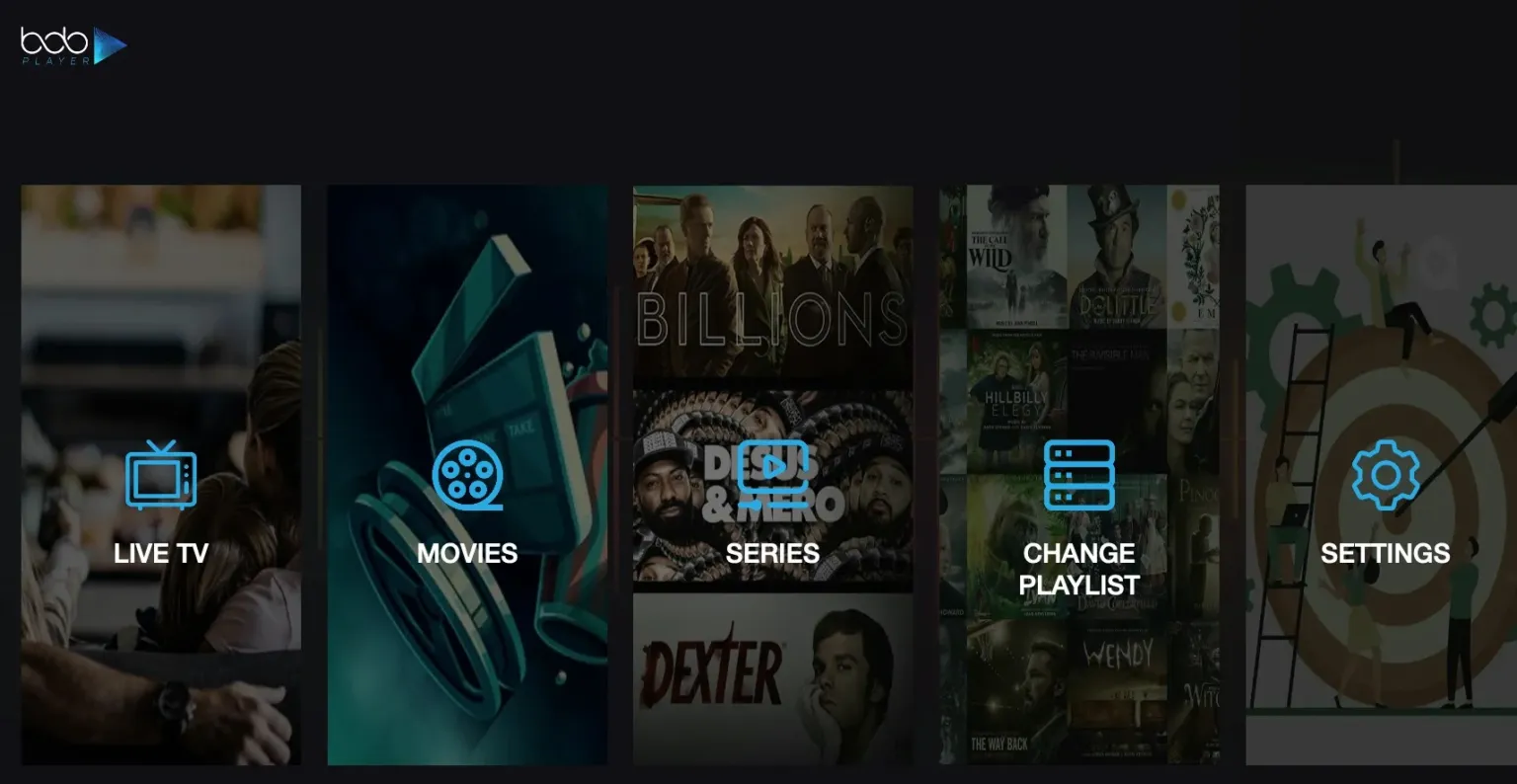
Table of Contents
What is Bob Player?
Bob Player is a high-speed, user-friendly IPTV media player known for its responsive streaming engine and extremely clean interface. Developed by the same team that created the renowned IBO Player, Bob Player features a similar structure optimized for high-quality live event feeds, multi-language audio parsing, and automatic subtitle integration.
Paired with a premium IPTV subscription, Bob Player handles large database playlists with ease. Enjoy anti-freeze streaming on Firestick, Smart TVs, Android, iOS, or Roku with zero buffer spikes. This setup guide covers all device-specific methods, the Downloader code 624821, and the Device ID activation guide.
Installation Methods by Streaming Device
Bob Player is compatible with a wide variety of television and mobile platforms. Use the table below to select the appropriate setup method:
| Device Type | Installation Interface | Sideload Required |
|---|---|---|
| Firestick / Fire TV | Downloader App (Code: 624821) | Yes (Developer Mode) |
| Android TV / Google TV | Google Play Store / APK (ibodesk.com/bob.apk) | Optional |
| Apple iPhone / iPad (iOS) | App Store (Search: "Bob Player") | No |
| Apple TV (tvOS) | Apple TV App Store Search | No |
| Samsung Smart TV | Samsung App Store Search | No |
| LG Smart TV | LG Content Store Search | No |
| Roku / Roku TV | Roku Channel Store Search | No |
Firestick Downloader Sideload Steps (Code: 624821)
Sideloading the app installer is the fastest way to get set up on TV systems that do not list the player natively:
Step 1: Configure Developer Permissions
Go to Settings → My Fire TV → Developer Options. Turn on "Apps from Unknown Sources" and ensure permissions are toggled on for your file management utilities. (Note: If Developer Options is hidden, navigate to Settings → My Fire TV → About, and click "Device Name" seven times to restore it).
Step 2: Launch the Downloader Application
Download the free Downloader utility from the official Amazon App Store. Once installed, launch the utility and accept storage permission prompts so the app can download install files.
Step 3: Enter Downloader Code 624821
Click on the URL entry box on the Downloader home dashboard and enter 624821. The system will process this code to fetch the latest application package (`https://ibodesk.com/bob.apk`) and automatically begin downloading the APK package.
Step 4: Install the APK File
As soon as the download finishes, a system window will open. Click "Install". After the installation is complete, click "Done" and select the option to delete the installer APK from your storage to save room.
"Bob Player provides a reliable and lightweight alternative for smart TV operating systems, reducing playlist loading lag while keeping active memory usage to a minimum."— Technical Solutions Lead at Xtreme HD IPTV
Activation Tutorial (Device ID & Key)
The application offers a limited evaluation period. After this trial, a permanent license key must be configured to keep your profile active:
1. Identify Your Device ID and Key
Launch the application on your device. The home layout displays a unique Device ID and Key. Copy these strings exactly as shown.
2. Submit to Support
Provide this Device ID and Key to our technical support team. Our configuration systems will automatically link your purchased premium playlist credentials directly to your profile.
3. Sync and Stream
Restart the application. The player will query its servers, parse your streaming channels list, and load directories. You are now ready to watch buffer-free live events.
Frequently Asked Questions
What is the Bob Player Downloader code for Firestick?
The official Downloader code to access the installer package directly is 624821. Enter this in the Downloader app to automatically download the APK.
Does Bob Player include channels or content?
No. Bob Player is a media player application. It does not carry pre-loaded media lists or channels. You must configure the application with your own private M3U playlists or database credentials to enable streaming.
How do I activate Bob Player after the free trial?
Launch Bob Player and find the Device ID and Key generated on your home screen. Provide these details to our support team, and we will activate your license key to permanently unlock the player.
Is Bob Player available on iOS and Roku?
Yes. Bob Player is available natively in the Apple App Store for iOS devices, tvOS on Apple TV, the Roku Channel Store, and Samsung & LG Smart TV app stores.
Upgrade Your Streaming Experience
Sideload Bob Player with code 624821 today and pair it with a premium playlist for buffer-free 4K viewing.
Shop PackagesPremium Plans
Get instant activation in all local metro areas. High-speed streams supported by anti-freeze hybrid servers.